
Princess Baby Phone Game
UVTechnoLabEducational
4.142.00 Reviews
- Version
- 1.0.17
- Installs
- 10.00M
- Age Rating
- Everyone
Screenshots
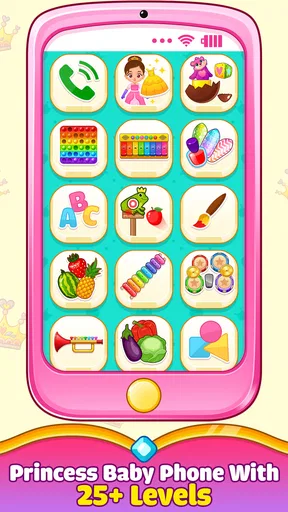
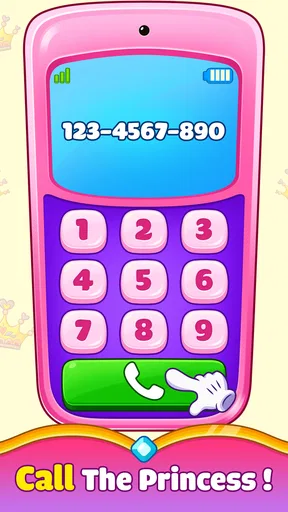
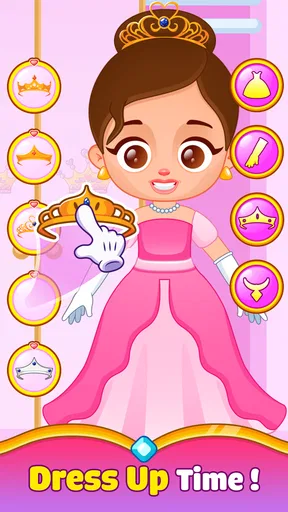
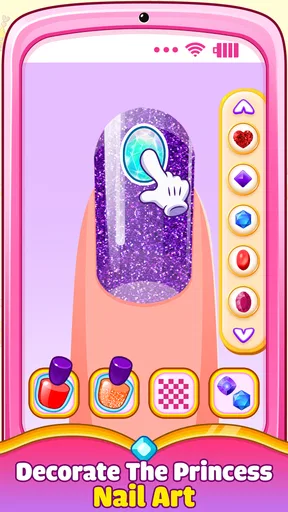
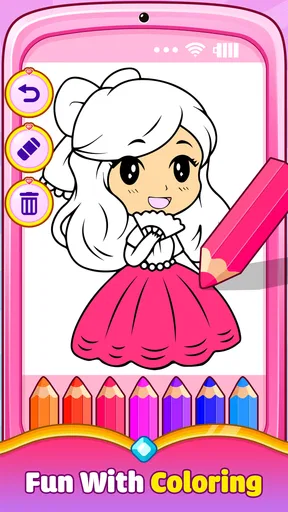
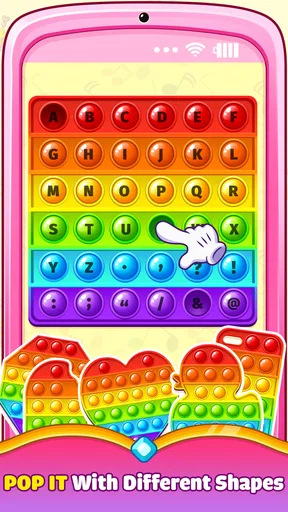

Our Review of Princess Baby Phone Game
 Analysis by Appyee
I found Princess Baby Phone to be a cheerful educational game aimed at very young children who enjoy copying the actions of adults. It turns the familiar idea of a smartphone into a virtual toy phone, with playful activities that mix simple interaction and early learning. I would not treat it as a serious teaching course, but it works nicely as a short, supervised activity when a child wants something colorful, immediate, and easy to understand.
The game is free, rated for Everyone, and developed by UVTechnoLab. It has reached over ten million installs and holds a 4.1 average from around seven thousand ratings, which suggests that many families find the basic idea useful even if it is not perfect for every child. I tested it with the expectations I would have for a preschool game rather than a full educational platform, and that distinction matters: its strength is accessible play, not deep progression or detailed lessons.
How the virtual phone works in everyday play
The baseline workflow is deliberately simple. A child opens the game, sees the phone-themed interface, and begins tapping through its activities. There is no need to explain complicated rules before starting. That makes it suitable for a child who is still learning how touchscreens respond, as well as for a parent who wants to hand over a device for a few minutes without setting up a long lesson.
In my experience, the best first session is not a long one. I would sit beside the child, demonstrate a few taps, and then let them repeat the actions. The phone format gives the activities a familiar context, so children who have watched adults make calls or use mobile devices often understand the pretend-play idea quickly. The learning value comes partly from this imitation: the child is practicing recognition, listening, hand-eye coordination, and simple cause-and-effect responses while playing.
The activities feel most useful when treated as small bursts rather than a complete play session lasting a long time. A child can explore one interaction, move to another, and return to a favorite. That flexible rhythm is more appropriate for preschool attention spans than a game that expects the player to follow a fixed campaign. It also makes the app convenient during a short wait, a quiet moment at home, or a transition between activities.
Parents should still expect to guide the first few uses. A virtual phone can look obvious to an adult but offer many possible things to tap for a child who is unfamiliar with touch controls. Instead of taking over the device, I found it better to give one instruction at a time: tap a button, watch what happens, then describe the result. This turns casual tapping into a small learning routine without making the game feel like homework.
The strongest use case is guided pretend play with a light educational purpose. It is a good fit for children who like phones, buttons, sounds, and repetition. It is less suitable for a child who needs a clearly structured lesson, measurable progress, or a game that steadily increases in difficulty. The app’s appeal comes from immediate feedback and variety, not from a carefully staged curriculum.
Settings worth checking before handing over the device
Because the game is designed for young children, I would check the device itself before starting rather than assume the app will handle every family preference automatically. Set the volume at a comfortable level, make sure the screen brightness is not excessive, and consider enabling the device’s child-friendly controls if a child is likely to leave the game by accident. These small preparations make the session calmer and prevent the virtual phone from becoming an excuse to explore unrelated apps.
The game runs on Android devices using version 6.0 or later. That gives it a fairly broad reach, but the experience can still vary depending on the phone or tablet. On a smaller screen, young children may need more help tapping accurately. A tablet can make the visual elements easier to see, while a phone is more faithful to the pretend-phone concept and easier to carry during a short outing. I would choose the device based on the child’s motor control, not simply on screen size.
It is also worth deciding in advance whether the child will play with sound. Audio can make a toy-phone activity more engaging, especially when the child is learning to connect an action with a response. However, sound may be distracting in a waiting room, on public transport, or near a sleeping sibling. Muting the device before opening the game is a practical habit that avoids a sudden burst of noise and lets the parent choose when audio is useful.
I would also keep the first session supervised even though the content rating is Everyone. An age rating tells me that the content is broadly suitable, but it does not replace ordinary parental judgment about screen time, device handling, or whether the activity matches a particular child’s needs. Supervision is especially helpful when the device has navigation gestures or notifications that could pull the child away from the game.
One useful routine is to start with a short demonstration, then place the phone or tablet on a stable surface. Young children often press harder than necessary or hold the device with both hands while tapping with a thumb. A stable position reduces accidental movement and makes it easier for the child to notice what changed after each action. This is a simple physical adjustment, but it can make the game feel much more responsive.
Repeatable patterns that make short sessions better
Experienced use is less about discovering a secret mode and more about creating a repeatable pattern. I would begin with the activity the child already recognizes, use it as a warm-up, and then invite one new interaction. After that, I would return to the favorite activity before ending. This “familiar, new, familiar” rhythm reduces frustration while still encouraging exploration.
Another effective pattern is to ask the child to predict what will happen before tapping. For example, a parent can say, “What do you think this button will do?” The question turns a quick touch into a moment of reasoning. Even if the answer is wrong, the child receives immediate feedback and can compare the prediction with the result. That is more educational than letting the child rapidly tap every visible control without noticing the connection between action and outcome.
I also recommend giving the child a turn to lead. Instead of explaining every screen, ask them to show an adult how the virtual phone works. This encourages recall and language practice, while the pretend-phone theme gives the child a familiar role. If the child cannot explain something, that is useful information: it may be a sign that the activity is visually attractive but not yet clear enough to use independently.
A short reset between activities can help children who become overexcited by rapid changes. Pause, name what they just did, and then choose the next activity together. This habit is particularly useful when two children share a device, because it creates a natural handover point. It also helps the parent notice which activities genuinely hold attention and which ones produce random tapping.
The game can fit into everyday situations without becoming a default distraction. I can imagine using it during a brief restaurant wait, while a parent prepares a meal nearby, or during a quiet indoor break on a rainy day. I would avoid using it as the only way to settle a child, though. Its value is greater when it alternates with talking, drawing, physical play, or real-world pretend games involving toy phones and conversations.
For learning, the most useful habit is to connect the screen activity to something away from the device. After playing, a parent might ask the child to identify a similar shape on a real phone, count buttons on a toy, or act out a pretend call without a screen. This makes the virtual interaction a starting point rather than an isolated burst of tapping. It also prevents the game from being judged by a standard it was not built to meet.
Where the educational design reaches its limits
The main limitation is that a virtual toy phone is naturally lighter than a dedicated early-learning program. Children may enjoy the activities without retaining much beyond the immediate interaction. That is not a flaw if the goal is playful exposure, but it becomes important if a parent expects systematic teaching in areas such as reading, mathematics, phonics, or language development.
I would also avoid assuming that popularity means universal suitability. The game has more than ten million installs, but children differ widely in what keeps them engaged. Some will enjoy repetition; others may lose interest quickly because there is no strong narrative or long-term challenge. A child who prefers puzzles, drawing, or construction games may find the phone theme appealing for a few minutes but not return to it often.
Another trade-off is independence. The simple interface helps children start quickly, yet a young player may still need help understanding what to do next. If the child is using the game only by copying an adult, the learning benefit may depend heavily on that adult’s participation. That is not necessarily negative, but families looking for a fully self-directed experience should keep their expectations modest.
The game is also not the right choice when a parent wants detailed progress tracking or a clear sequence of achievements. I would choose a more structured educational app for regular practice, especially when the goal is to build a specific academic skill. For open-ended pretend play, this game makes more sense. The difference is between “let’s explore a playful phone” and “let’s complete a planned lesson.”
Compared with a real phone, the virtual version is safer as a pretend object because it does not require handing over a personal communication device for play. Compared with a physical toy phone, it offers the convenience of a screen and interactive responses, but it also introduces screen-time concerns and the possibility of accidental navigation. Compared with a general children’s game, its theme is narrower, which can be an advantage for a child fascinated by phones and a disadvantage for one who needs broader variety.
Parents should also remember that “free” makes it easy to try, but it does not automatically make the game a complete solution for keeping a child occupied. I would test it during a calm moment rather than introduce it for the first time in the middle of a difficult outing. That gives the child time to learn the interaction without the parent also dealing with hurry, noise, or competing demands.
Who will get the most from it
I would recommend this game to families with preschool-age children who enjoy imitation, pretend communication, and colorful touch interactions. It can also work for a child beginning to explore a parent’s device under supervision, because the phone metaphor is easy to understand. The Everyone rating makes it broadly approachable, but the ideal match still depends on the child’s attention span and developmental stage.
It is especially useful when the parent wants a low-pressure activity with a small learning element. The child can practice tapping, observing outcomes, listening, and taking turns without facing failure screens or difficult instructions. That gentle design is reassuring for a first educational game, although it may feel too basic for children already comfortable with more demanding games.
I would skip it if the main requirement is a curriculum, detailed settings for learning goals, or substantial replay depth. I would also look elsewhere if the child becomes frustrated by repetition or needs a game with stronger creative tools. In those situations, a drawing app, puzzle game, or structured learning product would probably offer a better match than a pretend phone.
The current version is 1.0.17, and the game was released on June 15, 2023. Those details are useful when checking whether an older device can run it or when comparing the installed build with the version shown in an app store. For a parent, the more important practical question is still whether the child can use the interface comfortably and whether the activities fit the family’s preferred screen routine.
My verdict after building a practical routine
Princess Baby Phone succeeds because it understands the attraction of a phone-shaped toy. It gives young children a familiar object to explore while adding playful learning activities, and it avoids the intimidation that can come with a more academic game. I like it best as a short, shared experience: demonstrate, let the child explore, ask them to predict or explain, and then move on to something away from the screen.
Its weaknesses are equally clear. The game is not a replacement for a structured preschool curriculum, and its simple interactions may not hold every child’s attention for long. Parents may need to guide the first sessions, manage sound and device navigation, and decide when repetition is useful rather than simply letting the game run. Those are manageable limitations, but they should be part of the decision.
For a free educational game from UVTechnoLab, it is an easy one to try if a child is fascinated by phones and enjoys immediate touch feedback. I would recommend keeping sessions brief, using the “familiar, new, familiar” pattern, and connecting the on-screen play to real conversation or pretend play. With that approach, the app feels less like a digital babysitter and more like a small activity that supports curiosity.
My final view is positive but specific: choose it for accessible virtual-phone play, not for deep instruction. If that is what you need, the combination of a broad age rating, free access, and simple activities makes it a practical download. If you need measurable learning progress or a richer game world, it is better to choose a more specialized alternative and leave this one for occasional, supervised play.
Verdict
Strengths of Princess Baby Phone Game
- Simple controls make it suitable for toddlers and preschoolers.
- Bright animations and sounds help keep young children engaged.
- Includes several mini-games for varied play sessions.
- Does not require reading skills to enjoy the basic activities.
- Play sessions can be short, making it useful for quick entertainment.
Limitations of Princess Baby Phone Game
- Frequent sound effects may become distracting for parents.
- Some activities offer limited challenge for older children.
- In-app prompts may require parental supervision during use.
- Gameplay can feel repetitive after extended play.
- May use considerable storage on older devices.
Other Releases by UVTechnoLab
View All
Fruits Coloring Book & Drawing
Art & Design3.8
Similar Picks in This Category
View All
Little Panda Policeman
BabyBus4.0

Monster Trucks Game for Kids 2
Raz Games4.1

Little Panda's Chinese Recipes
BabyBus4.4

Little Panda's Restaurant
BabyBus4.4

Little Panda's Ice Cream Games
BabyBus4.3

Baby Panda Care
BabyBus3.8
Frequently Asked Questions
What is Princess Baby Phone Game?
Princess Baby Phone Game is a child-friendly pretend smartphone app designed around princess themes. It usually includes colorful buttons, playful sounds, simple mini-games, pretend calls, music, numbers, and interactive animations. The experience is aimed at young children who enjoy role-play and exploring touch controls, rather than users looking for a complex adventure or competitive game.
Is Princess Baby Phone Game suitable for young children?
The game is generally designed for toddlers and preschool-age children, with large icons, bright visuals, and straightforward interactions. However, parents should check the age recommendation on the Google Play Store or App Store because features and suitability can vary between versions. Younger children may also need help understanding advertisements, purchases, or navigation outside the main play area.
Does Princess Baby Phone Game require an internet connection?
Most of the basic pretend-phone activities can usually be played offline after installation, which makes the app convenient for travel or quiet time without Wi-Fi. An internet connection may still be needed for downloading the game, displaying advertisements, restoring purchases, or accessing external links. It is best to test the app in airplane mode before giving it to a child.
Are there advertisements or in-app purchases in Princess Baby Phone Game?
Availability of advertisements and in-app purchases depends on the specific developer and store version. Free children’s games may include banner ads, video ads, paid upgrades, or links to other applications. Before downloading, parents should review the store listing and configure parental controls. Supervision is recommended, particularly if the device is connected to a payment method.
Is Princess Baby Phone Game safe for children to use?
The app offers simple, non-violent pretend play and is generally easy for children to understand, but safety also depends on the version installed and its privacy practices. Parents should review requested permissions, privacy information, advertising behavior, and external links. Using a child profile, disabling purchases, and supervising play can provide additional protection while the child explores the game.
Play our best games!


